OpenPDF Studio — a free tool by Dowling Development
The free online PDF editor that never uploads your files
Edit PDF text, highlight and annotate, fill forms, sign, and reorganize pages — right in your browser. Everything runs on your own device, so your documents stay yours.
Everything you need to edit a PDF, free
One editor covers the whole job — no juggling separate converters, fillers, and signers.
Edit PDF text
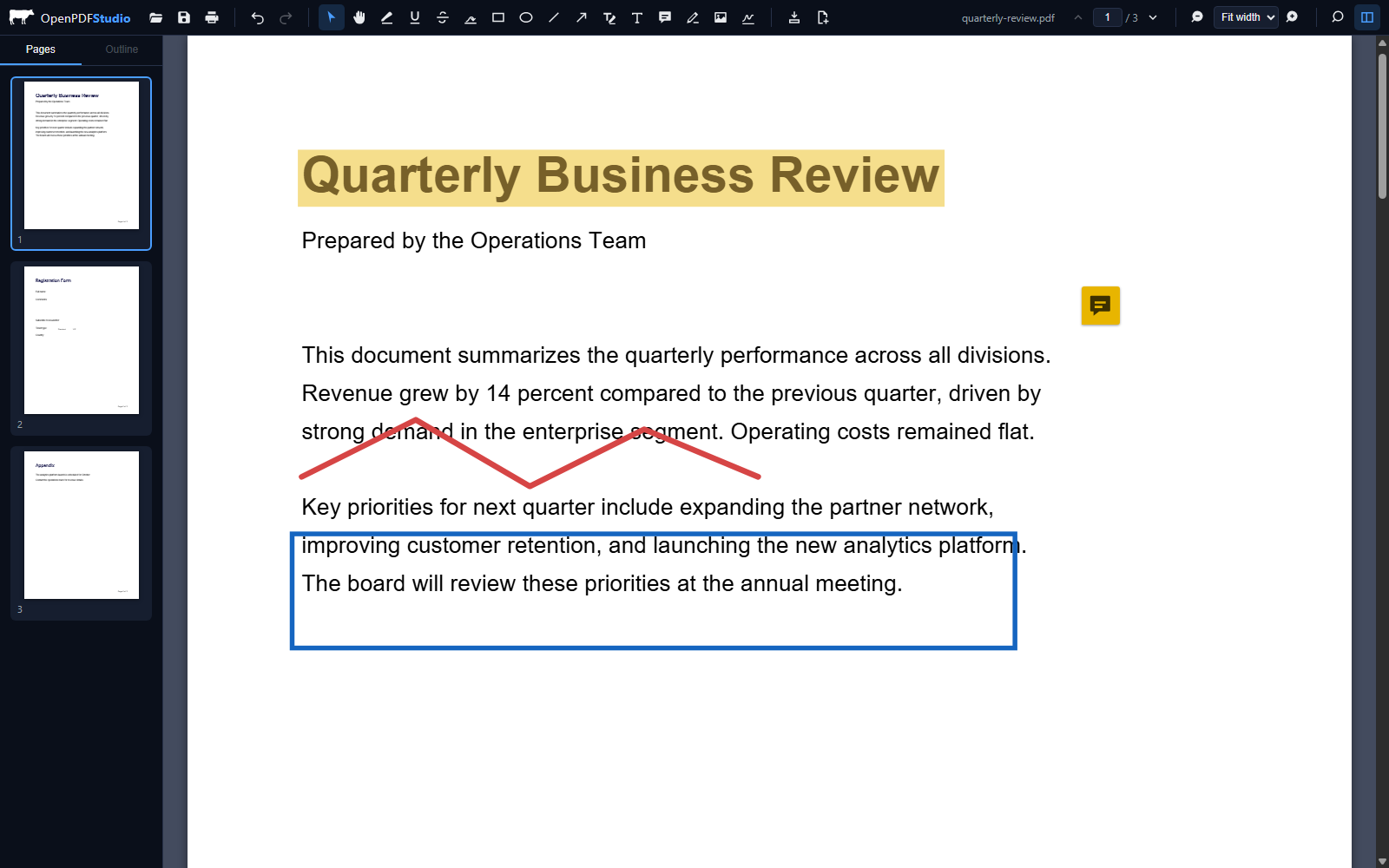
Click any line of existing text and retype it. The original is removed from the document — not covered with a white box — and replaced in a matching font. Add new text boxes anywhere.
Annotate & highlight
Highlight, underline, or strike through text. Draw freehand, add rectangles, ellipses, lines, and arrows, and leave sticky-note comments that other PDF readers can see.
Fill PDF forms
Type into interactive form fields — text boxes, checkboxes, radio buttons, and dropdowns. Values are written into the real form, so they survive in other viewers.
Sign PDFs
Draw your signature, type it in a script style, or upload an image — then place and resize it on the page. Sign contracts without printing and scanning.
Organize pages
Reorder pages by dragging thumbnails, rotate or delete pages, insert blank ones, and merge a second PDF into the document. Undo anything.
Search & navigate
Full-text search with highlighted matches, page thumbnails, document outline navigation, and smooth zoom from 20% to 600%.
How to edit a PDF online in three steps
- Open your PDF. Launch the editor and drag your file into the window (or click Open). The file loads on your device — nothing is uploaded.
- Make your edits. Pick a tool from the toolbar: edit text, highlight, draw, add a text box or signature, fill form fields, or reorganize pages in the sidebar.
- Save the result. Press Ctrl+S or the save button and the edited PDF downloads instantly — no watermark, no account, no waiting in a queue.
Private by design: your files never leave your device
Most “free” online PDF editors upload your document to their servers, process it remotely, and hold a copy while you work. OpenPDF Studio takes the opposite approach: the entire editor — rendering, editing, and saving — runs inside your browser using the same engine technology that powers Firefox's PDF viewer.
That makes it appropriate for the documents people actually need to edit: contracts, invoices, medical forms, leases, and financial statements. If you close the tab, nothing persists anywhere. You can even load the page once and use it offline.
Free PDF tools included
- Edit text in a PDF — line-by-line rewriting with font matching
- Highlight a PDF — plus underline and strikethrough
- Fill out a PDF form — real AcroForm field support
- Sign a PDF — drawn, typed, or uploaded signatures
- Merge PDF files — append or insert a second document
- Reorder PDF pages — drag-and-drop thumbnails
- Rotate PDF pages — per page, in 90° steps
- Delete PDF pages — or insert blank ones
- Add images to a PDF — stamps, logos, photos
- Comment on a PDF — sticky notes readable in any viewer
- Search a PDF — full-text with match navigation
- Whiteout PDF content — cover and retype anything
Frequently asked questions
Is this online PDF editor really free?
Yes. OpenPDF Studio is completely free and open source (MIT licensed). There are no watermarks, no page limits, no premium tier, and no sign-up. It's built and maintained by Dowling Development.
Are my PDF files uploaded to a server?
No. The editor runs entirely in your browser. Your PDF is opened, edited, and saved on your own device — the file never crosses the network, which makes it suitable for contracts, medical records, and other sensitive documents.
Can I edit the text in an existing PDF?
Yes. Select the Edit Text tool, click any line of text, and retype it. The original text is removed from the document (not just covered up) and your replacement is drawn in a matching font at the same position. You can also add new text boxes anywhere.
Can I fill out and sign a PDF form?
Yes. Interactive form fields (text boxes, checkboxes, radio buttons, dropdowns) are fillable directly, and you can draw, type, or upload a signature and place it anywhere on the page. Saved values stay in the PDF.
Does it work on Mac, Linux, or a phone?
The editor runs in any modern desktop browser on Windows, Mac, or Linux. On phones and tablets it works best for viewing, filling forms, and signing; a desktop screen is recommended for heavier editing.
Is there a file size or page limit?
There's no artificial limit. Because processing happens on your device, very large documents are limited only by your computer's memory. Typical reports, contracts, and scanned documents open instantly.
Built by Dowling Development
We're a small studio in Auburn, AL that designs and engineers strategic websites and web software for independent operators. OpenPDF Studio is the kind of thing we build for clients — fast, hand-engineered, and private by default. If your business needs software like this, book a call or see our selected work.